Wholesum gives you the flexibility to organize your menu plan in a way that matches how your trips actually run.
By default, your plan is structured by Day (Day 1, Day 2, etc.). But for many groups—especially outfitters—this doesn’t always reflect reality. You might be planning by camp, site, or location instead.
What is Day Settings?
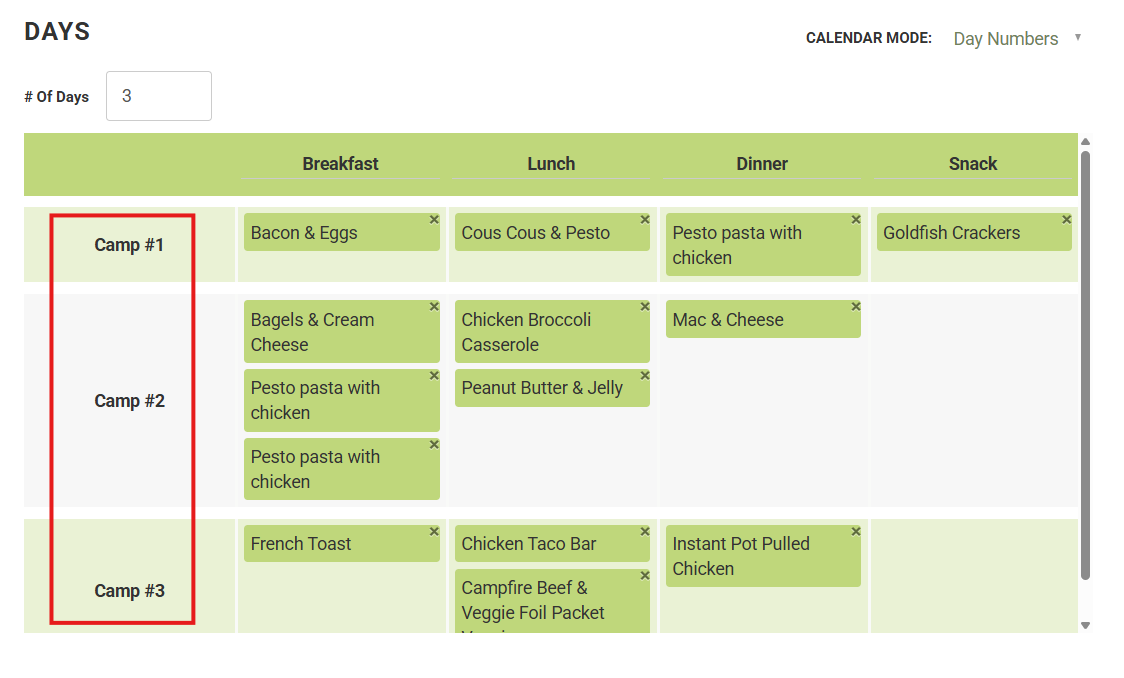
Day Settings allows you to rename the word “Day” across your entire plan.
For example, you can change:
- “Day 1” → Camp 1
- “Day 2” → Camp 2
- “Day 3” → Camp 3
This updated label will appear consistently throughout your plan.
Where this shows up
Once updated, your custom label will be reflected in:
- The menu planning grid
- Your PDF exports
- Any place where days are referenced in your plan
How to change the label
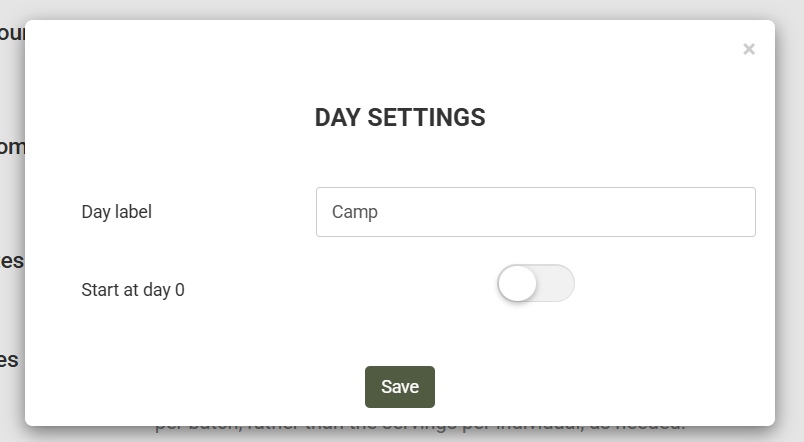
- Go to Settings
- Select Day Settings
- Enter your preferred label (e.g., Camp, Site, Location)
- Save your changes
That’s it—your plan will instantly update to use your new terminology.
When should I use this?
This feature is especially useful if:
- Your meals are organized by camp location rather than calendar day
- A single “day” spans multiple locations (or vice versa)
- You want your plan to match how your team talks in the field
Example:
A rafting trip might look like:
- Camp 1: Dinner, Breakfast, Lunch
- Camp 2: Dinner, Breakfast, Lunch
Even if Camp 1 spans parts of two calendar days, your plan stays intuitive and easy to follow.