
Sometimes gear goes out without a trip: a PFD lent to a staff member for the week, or stoves lent to a partner group. Lending books the gear over those days, so trips can't take it, and it comes back through check-in like any trip's gear.
Lending something
Open the item (or a unit of it) in the Gear List and click Lend out.
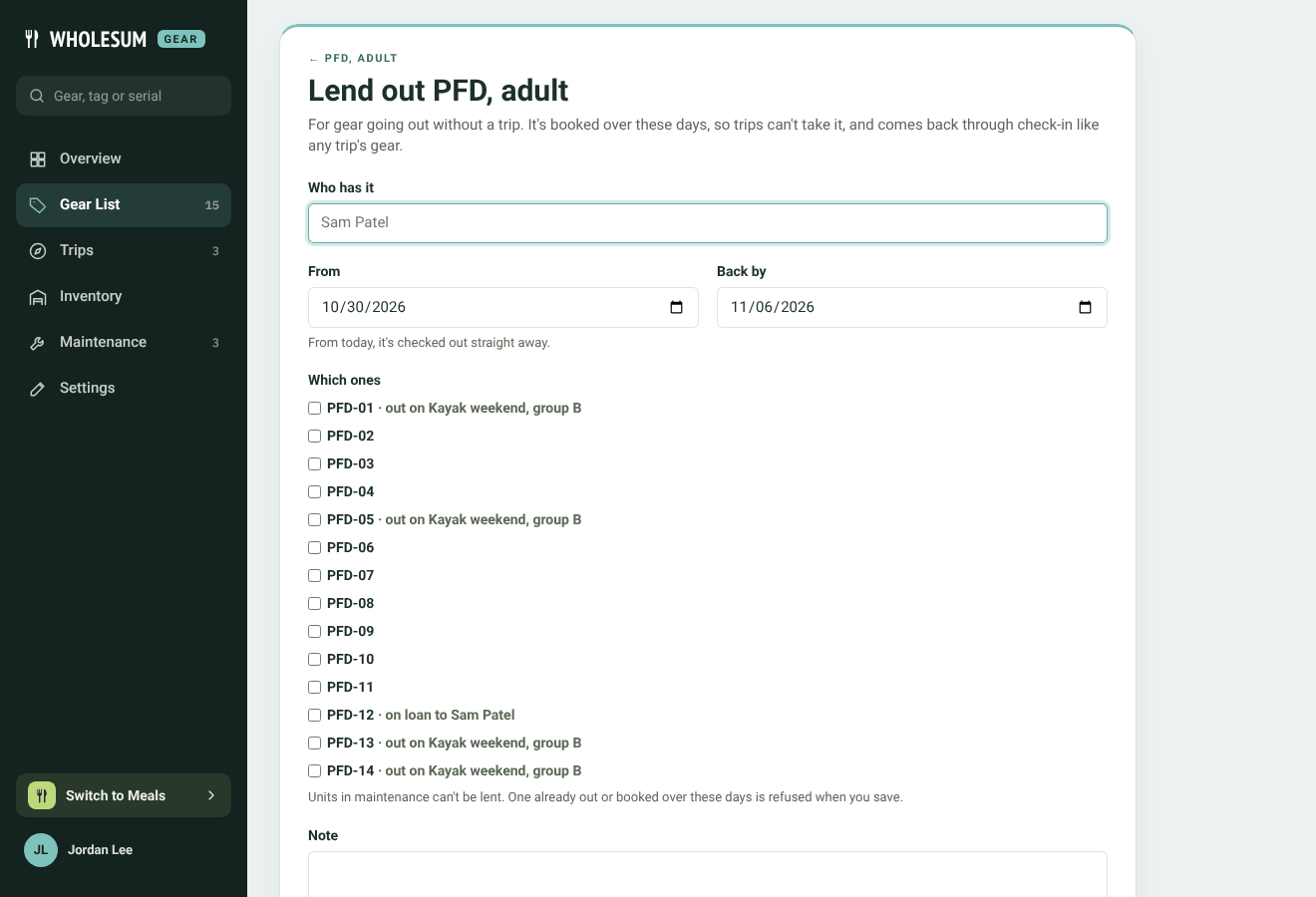
Lending a PFD
- Who has it: the person or group.
- From and Back by: if the loan starts today, the gear is checked out straight away.
- Which ones (tracked gear) or Which bins (kits): tick the units going. Units already out or booked on another trip show where they are. Units in maintenance can't be lent.
- How many and From (counted gear): the number, and which base it comes from if you use more than one.
- Note.
Click Lend out. If a unit is booked on a trip over those days, Gear refuses and tells you which.
A loan that starts later is booked but not yet out. Click Check out now on the loan when the gear goes.
Seeing what's on loan
Loans are listed under Trips → Loans, with who has the gear, the dates and whether it's out.
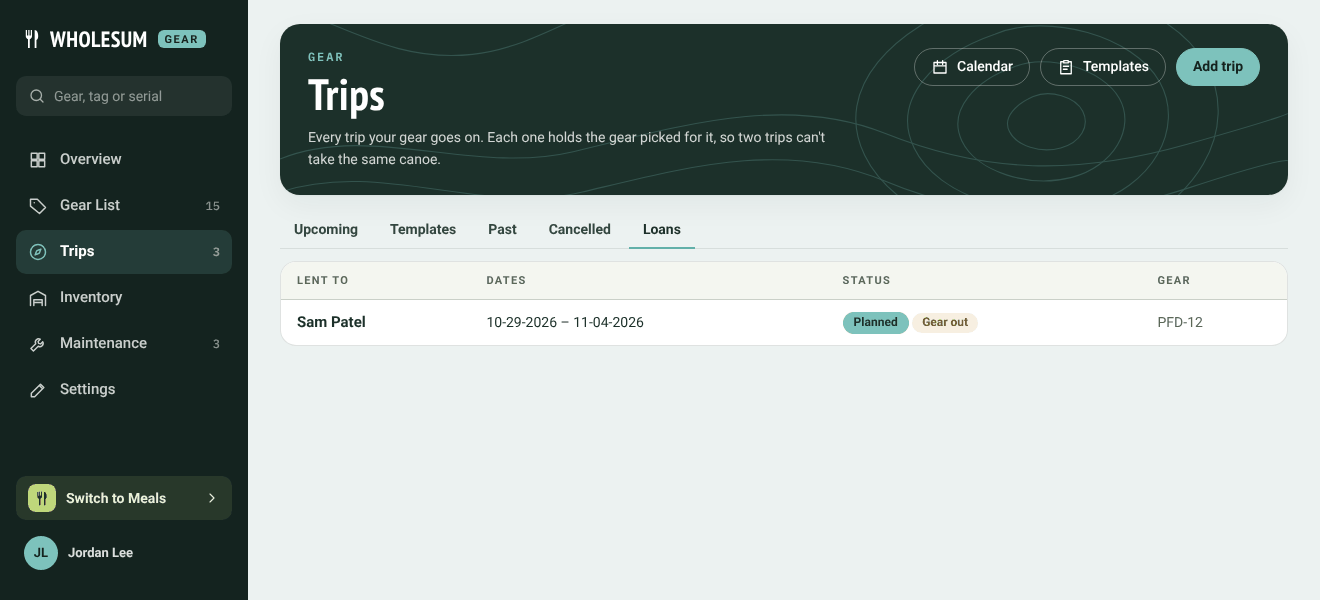
The Loans tab
They also appear on the Overview's This week strip and on the calendar. The item's page shows On loan to … with the return date, and Overdue once that date has passed.
Getting it back
Open the loan and click Check in. It works the same as a trip's check-in, so you can record damage or loss. See Checking gear back in.


