
When a trip comes back, check its gear in. This puts everything back on the shelf, counts one more use on each unit, and records anything damaged, dirty, lost or used up.
On the trip's page, click Check in.
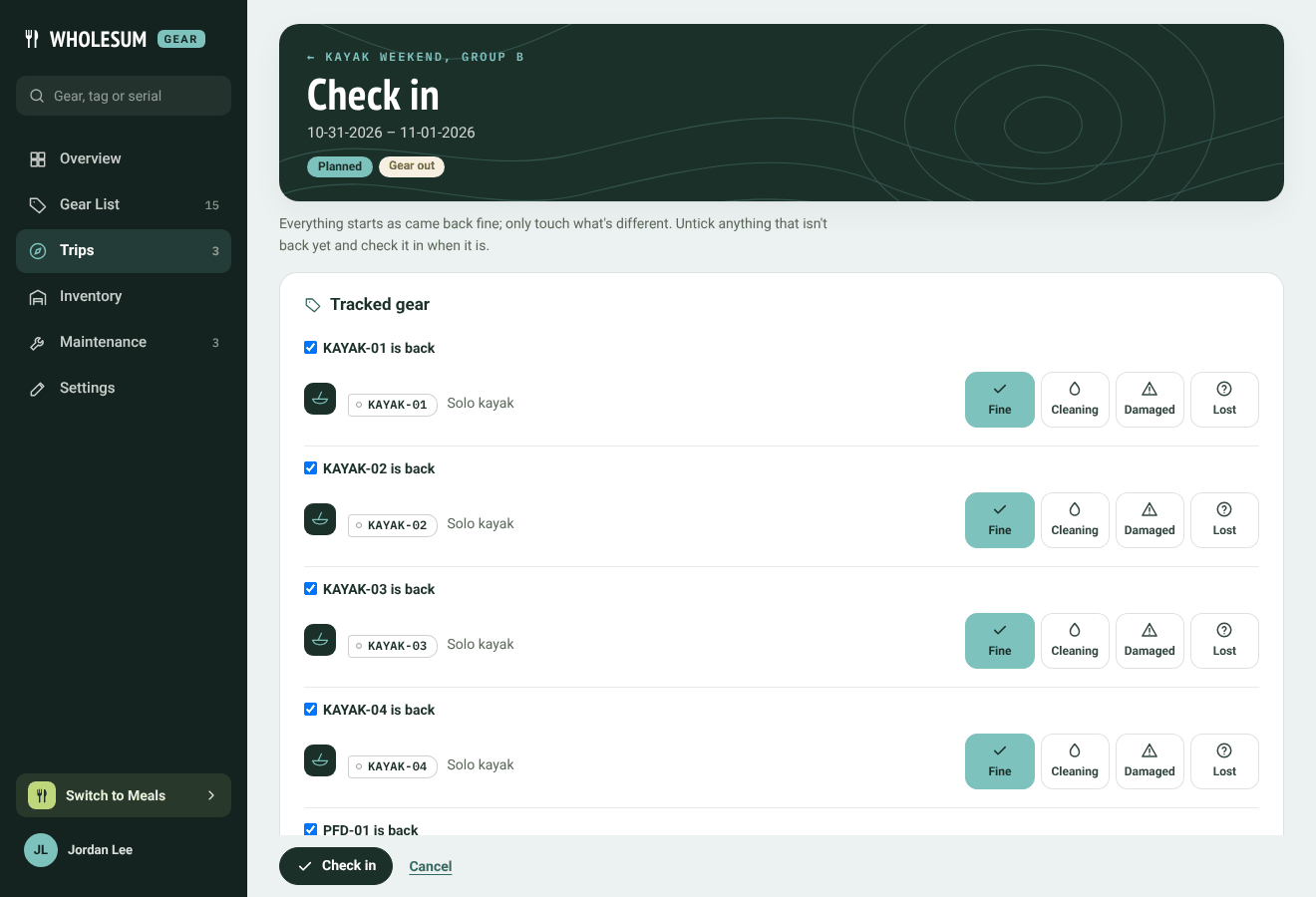
The Check in page
Only touch what's different
Everything starts as came back fine. For most trips you just click Check in at the bottom.
For anything that didn't come back fine:
- Tracked gear and kit bins: choose Cleaning, Damaged or Lost. For damage, say How bad? and What happened?, and add a photo if you like.
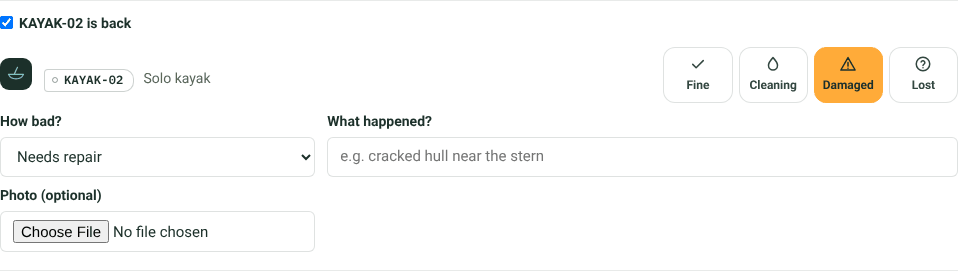
Recording damage at check-in
- Counted gear: type how many came back Damaged and how many were Lost.
- Consumables: type how many came back. The rest are recorded as used on this trip.
- Inside a kit bin: the same choices appear for what's packed in it.
How bad is the damage?
| Choose | What happens |
|---|---|
| Still usable | The unit stays available. Its condition drops a step (Good → Fair → Poor). |
| Needs repair | The unit goes In maintenance, a repair ticket opens, and it can't go on trips until it's fixed. |
| Out of service | The same as Needs repair. |
Damaged counted gear goes into repair, with a ticket, rather than back on the shelf. Lost gear is recorded in its history.
Bringing gear back in parts
Untick … is back for anything that isn't back yet. It stays out on the trip and you can check it in later. When nothing is left out, the trip shows Returned.
What the trip page shows afterwards
Back from the trip lists everything that wasn't fine, with who recorded it and when. Click a unit to see its repair ticket.
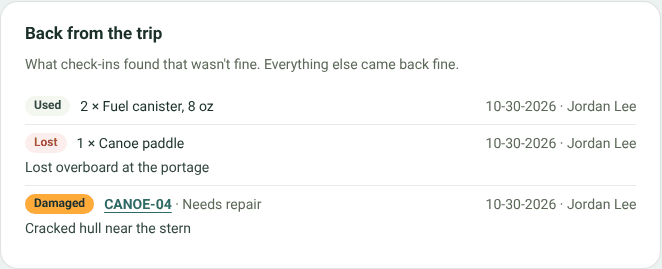
Back from the trip
Reopening a check-in
If a check-in was recorded wrong, click Reopen last check-in on the trip's page.
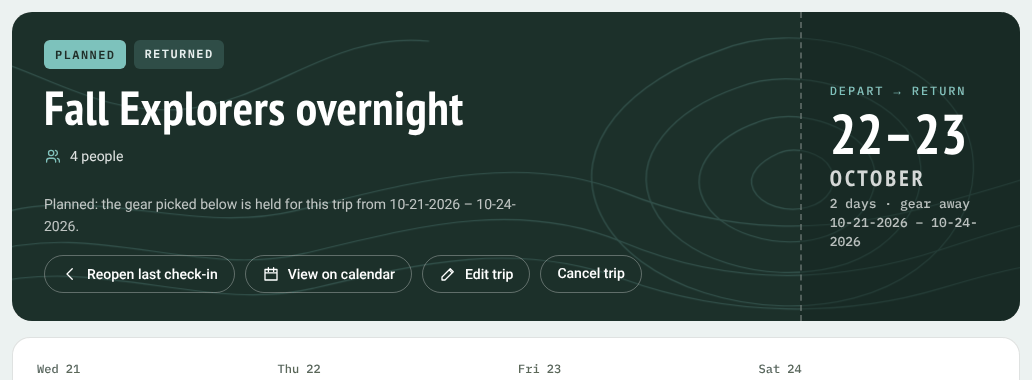
Reopen last check-in, on a returned trip
The gear goes back to being out on the trip, and what that check-in recorded is undone: findings, repair tickets it opened, and stock it put back. Then check it in again.
Gear won't reopen a check-in if things have moved on since, for example if a unit from it has been on another trip, or a repair ticket it opened has been worked on. It tells you what's in the way.
From a QR label
Crew can also check a unit in by scanning its label. See QR labels.


