
My recipes is where every recipe on your account lives. To open it, click My recipes in the top menu, or Go to recipes → on your Home page.
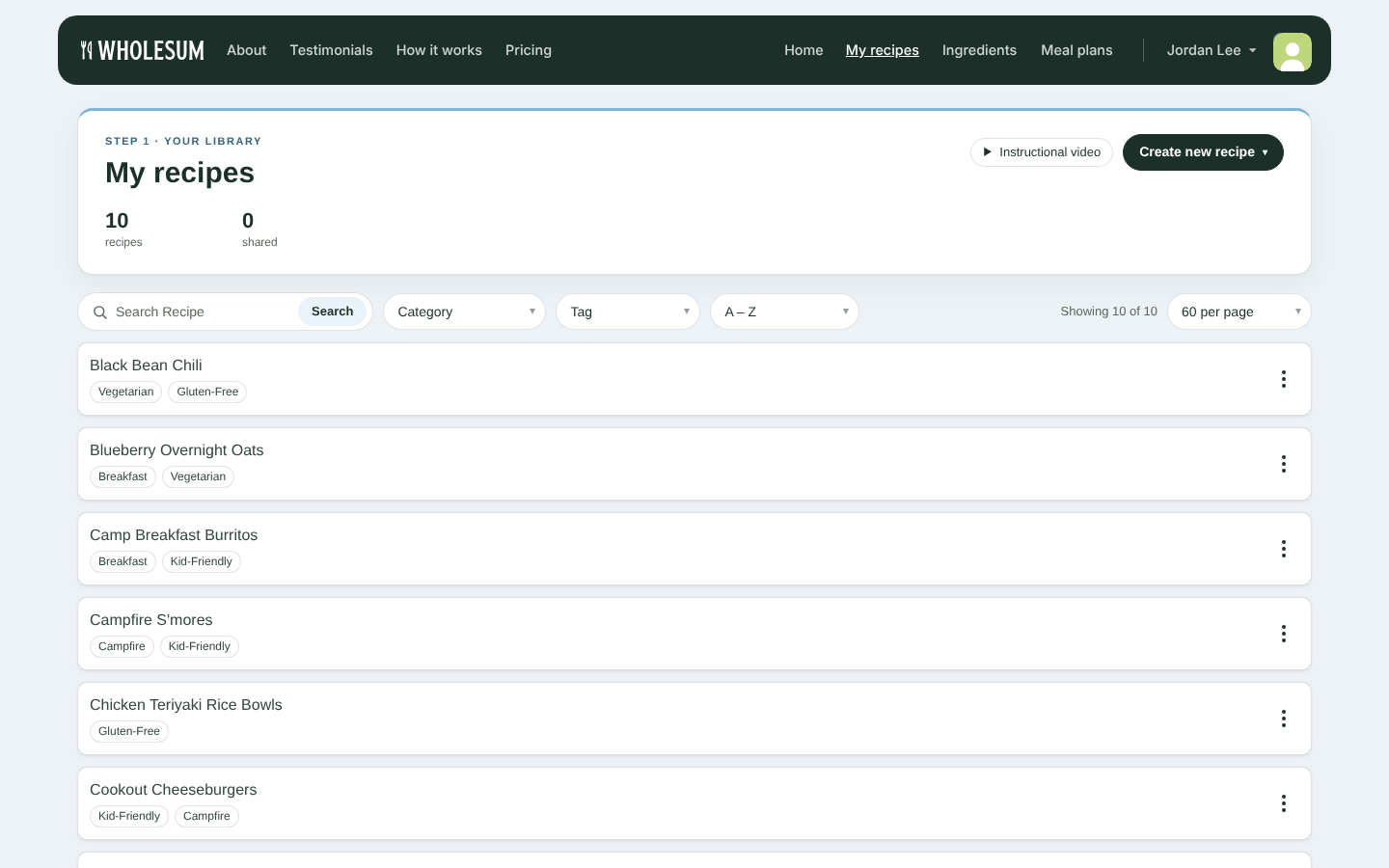
The My recipes page
The top of the page shows how many recipes you have. If community sharing is turned on, it also shows how many are shared, and how many came from Cookbooks.
Adding recipes
Click Create new recipe to choose how you want to add one:
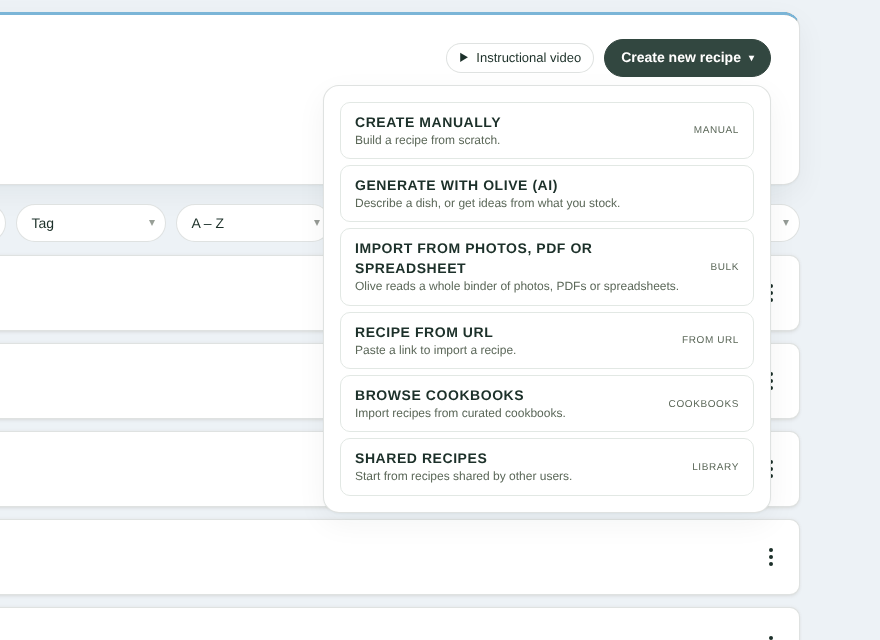
The Create new recipe menu
| Option | What it does | Learn more |
|---|---|---|
| Create Manually | Build a recipe from scratch | Creating and editing recipes |
| Generate with Olive (AI) | Describe a dish, or get ideas from ingredients you already stock | Drafting recipes with Olive |
| Import from photos, PDF or spreadsheet | Olive reads recipe cards, cookbooks or spreadsheets in bulk | Importing recipe files with Olive (photos, PDFs and spreadsheets) |
| Recipe from URL | Paste a link to a recipe website | Importing recipes from websites, Cookbooks and Shared Recipes |
| Browse Cookbooks | Add ready-made recipes from curated cookbooks | Adding recipes from Wholesum's Expedition Cookbooks |
| Shared Recipes | Start from recipes other Wholesum users have shared | Importing recipes from websites, Cookbooks and Shared Recipes |
Finding a recipe
Use the toolbar above the list:
- Search Recipe — type part of a recipe name. The list filters as you type. Search looks at recipe names only.
- Category — show recipes in one meal category (for example Breakfast).
- Tag — show recipes with one of your own tags.
- A – Z — change the order to Recently added or Recently updated.
- Per page — show 24, 60 or 120 recipes per page.
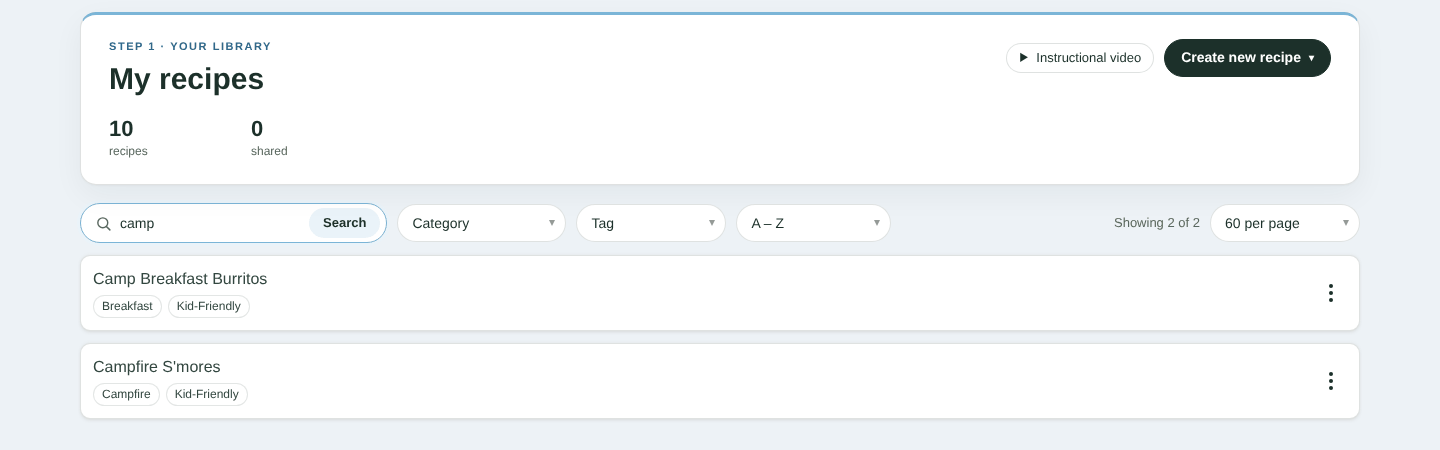
Searching the recipe list
Each category or tag you pick appears as a chip above the list. Picking more than one narrows the list further, so recipes must match all of them. Click the × on a chip to remove it, or Clear all to start over.
Opening a recipe
Click a recipe's name to open it for editing. Each recipe row also shows its tags. Recipes added from a Cookbook carry a cookbook badge, and shared recipes show a Shared chip.
The ⋮ menu on each recipe
Click ⋮ at the right of any recipe for more actions:
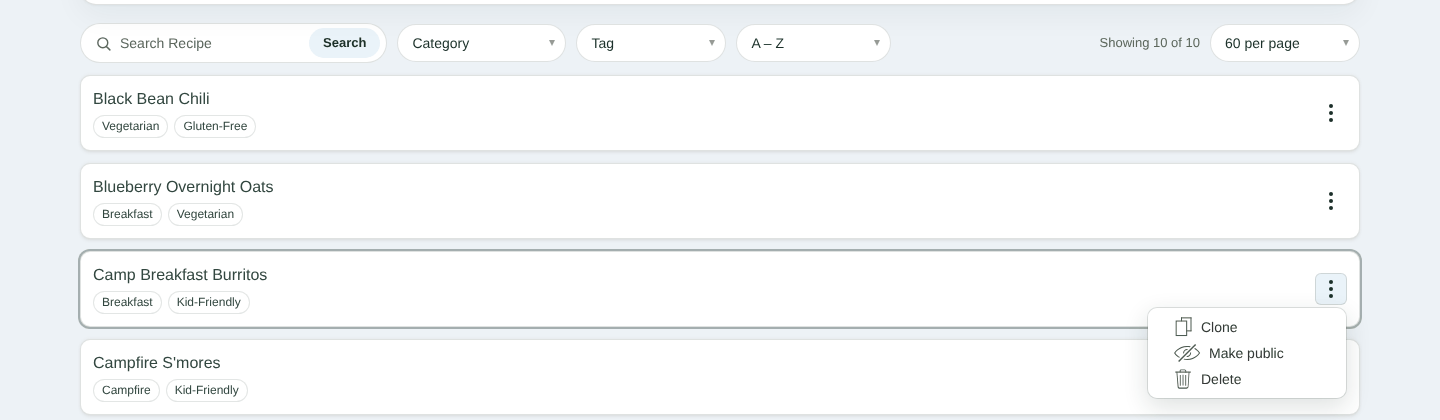
The recipe actions menu
- Clone — makes a copy called "recipe name Copy", with the same ingredients, substitutes, tags, dietary restrictions and categories. Handy for variations, such as a vegetarian version.
- Make public / Make private — shares a recipe with the Wholesum community, or stops sharing it. This only appears when Community recipe sharing is turned on in Settings. See Sharing recipes with the Wholesum community.
- Delete — removes the recipe after you confirm.
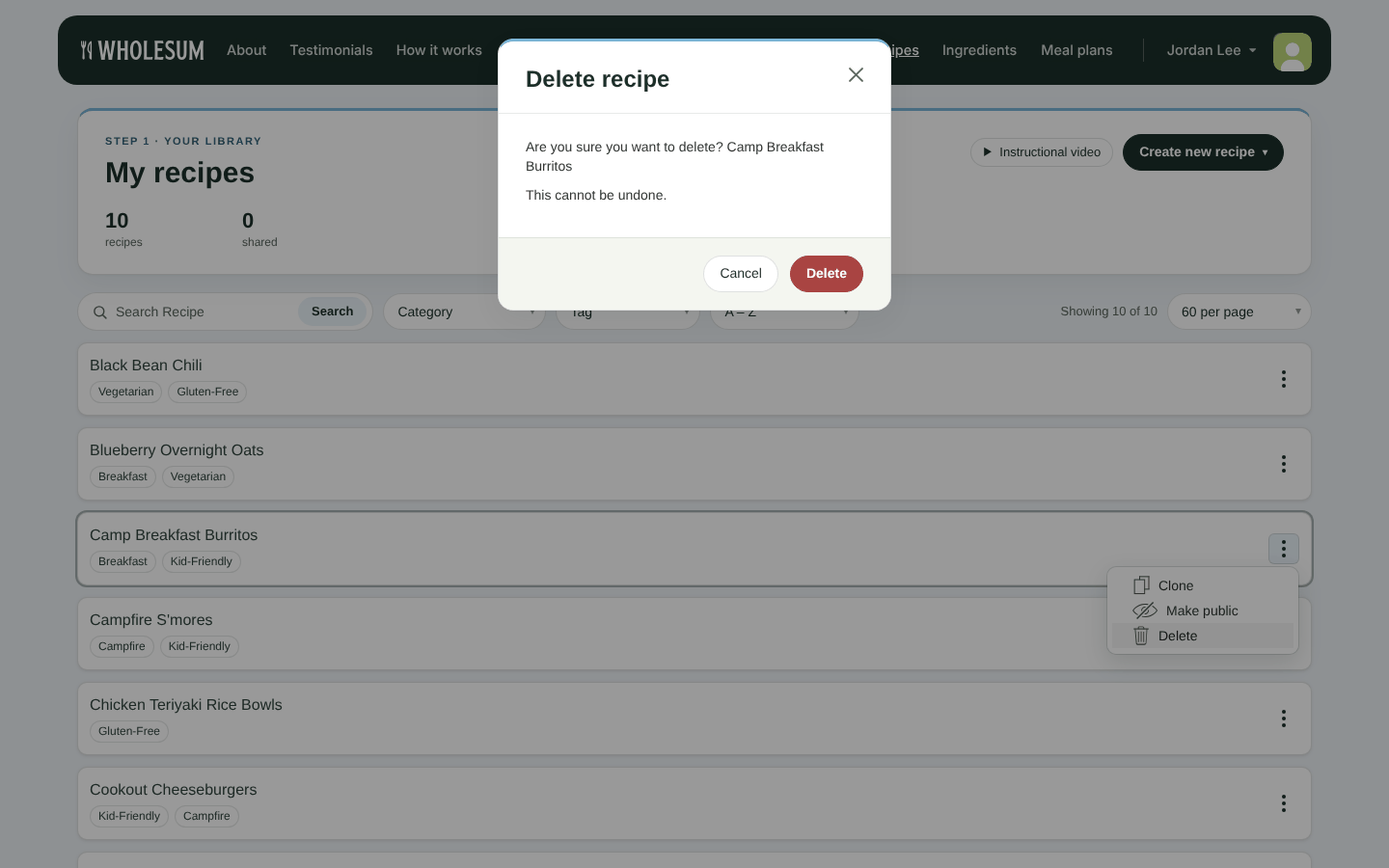
Confirming a delete
Before you delete a recipe: deleting can't be undone. The recipe is also removed from every meal plan that uses it. A meal plan left with no recipes at all is deleted too.


