
Every unit and kit bin in Gear has a QR label. Stick it on the canoe or bin, and anyone with a phone can scan it to check that unit out or in, or report a problem, without opening the full app.
Printing a label
Open the unit (or bin) and find the QR label panel.
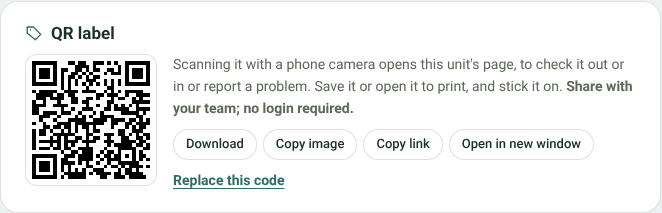
A unit's QR label
- Download saves the image; Copy image and Copy link copy it to paste elsewhere.
- Open in new window shows the label on its own, ready to print.
Counted gear has a label for its shelf at each base. Find it on the item's page, under Stock, as the QR link next to each base. Scanning a shelf label shows the count and lets people report a problem.
What scanning shows
Scanning opens a page made for phones, with the most likely action first:
- Check it in if it's out on a trip, with Fine, Cleaning, Damaged or Lost;
- Check it out if it's picked for a trip that's leaving now;
- Being repaired if it has an open repair ticket;
- Report a problem otherwise, with an optional photo.
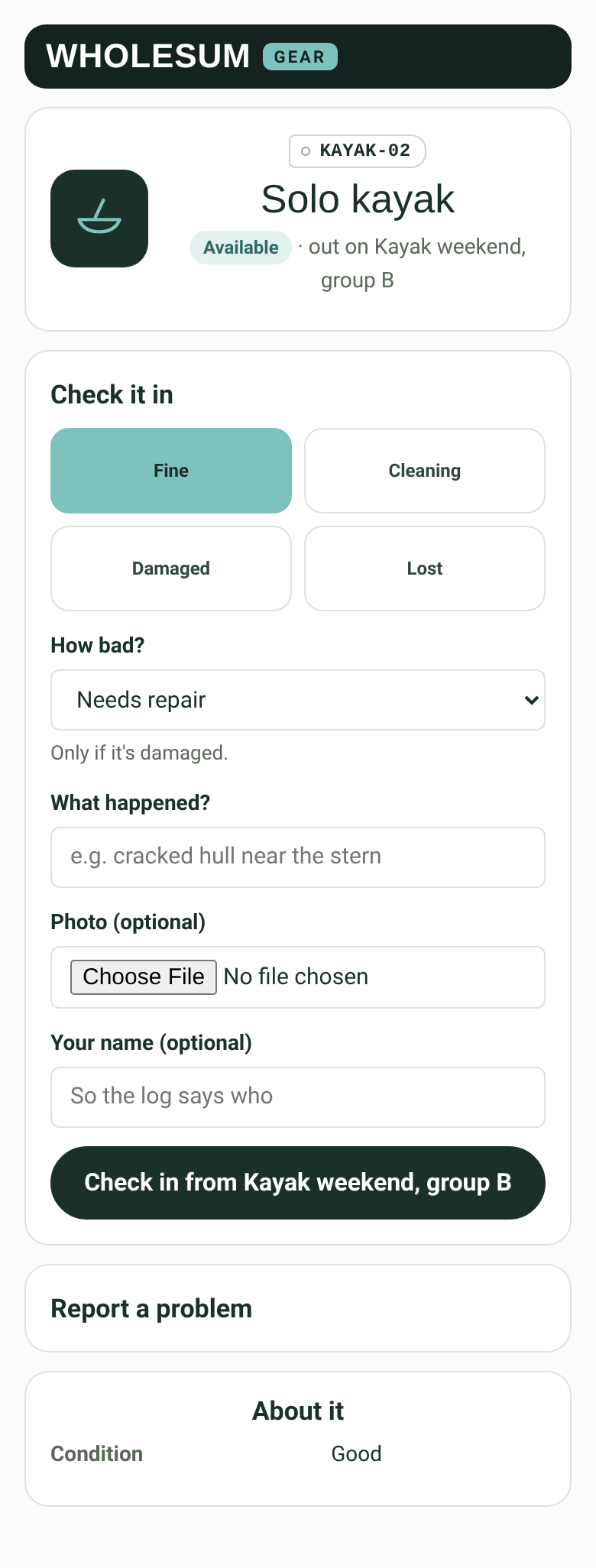
Scanning the label on a kayak that's out on a trip
Everything done from a label is logged on the trip or ticket, marked as done from the label, with the person's name if they gave one.
Who can use a label
- Anyone holding the label, if Let people use labels without signing in is on in Gear's Settings (it's on by default). They can only check that unit out for the trip it's picked for, check it back in, and report a problem. They can't see other trips, prices or people, or change your gear list.
- To stop a photo of a label being enough, turn on Ask for a crew code first and set a 4 to 8 digit code. Your crew types it once on each phone and it's remembered for 30 days. Changing the code makes every phone type the new one.
- People signed in to your account can always use labels, and see a little more about the unit.
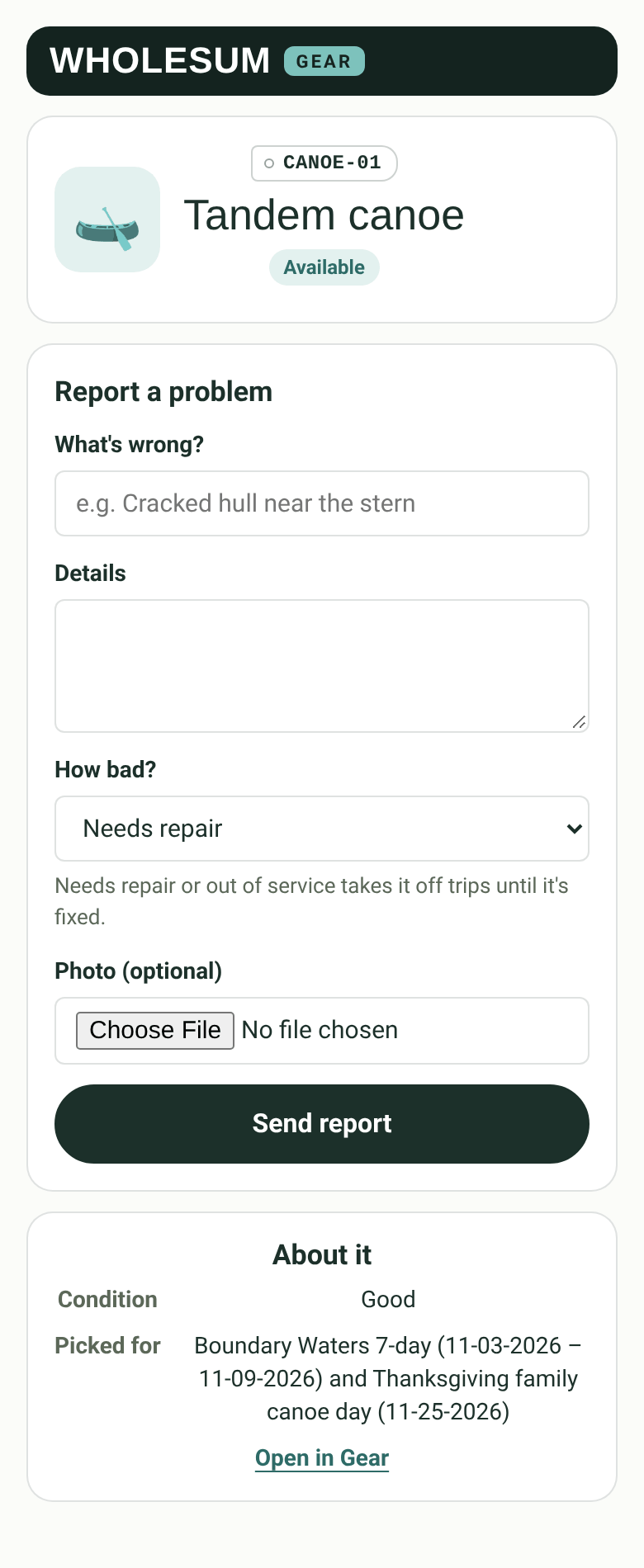
The label page for someone signed in
If labels are switched off, scanning one shows what it is and a Sign in button.
Replacing a label
If a label is lost or you think it's been copied, click Replace this code on the unit's QR panel. The old label stops working at once, so print and stick on the new one.


