
A stocktake lets you count every counted item and consumable in one pass, rather than adjusting row by row. Go to Inventory and click Stocktake.
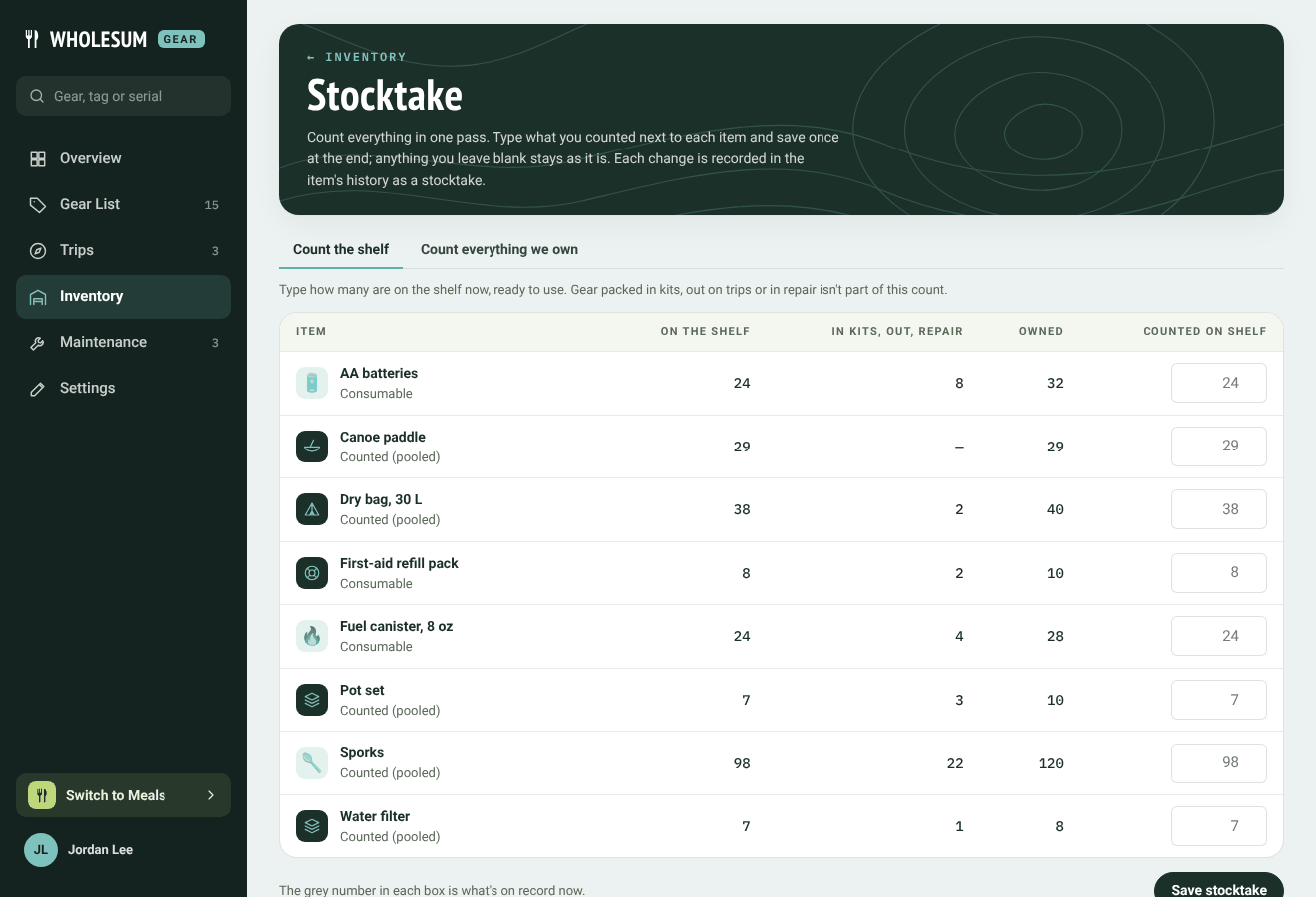
The Stocktake page
Choose what you're counting
The two tabs at the top decide what your numbers mean:
- Count the shelf: type how many are on the shelf now, ready to use. Gear packed in kits, out on trips or in repair isn't part of this count.
- Count everything we own: type how many you own in all. Gear subtracts what's packed in kits, out on trips and in repair, and the rest is what's on the shelf.
The In kits, out, repair column shows what's elsewhere, so you can check your count.
Count and save
Type what you counted next to each item. The grey number in each box is what's on record now. Anything you leave blank stays as it is.
Click Save stocktake at the end. Gear tells you how many counts changed and how many matched what was on record. Each change is recorded in the item's history as a stocktake.
When counting everything you own, you can't enter less than what's packed in kits, out on trips or in repair. Gear will say so, item by item.


