
Inventory shows every counted item and consumable: how many are on the shelf, packed in kits, out on trips and in repair. Every change is recorded with its reason, so counts never change without a record.
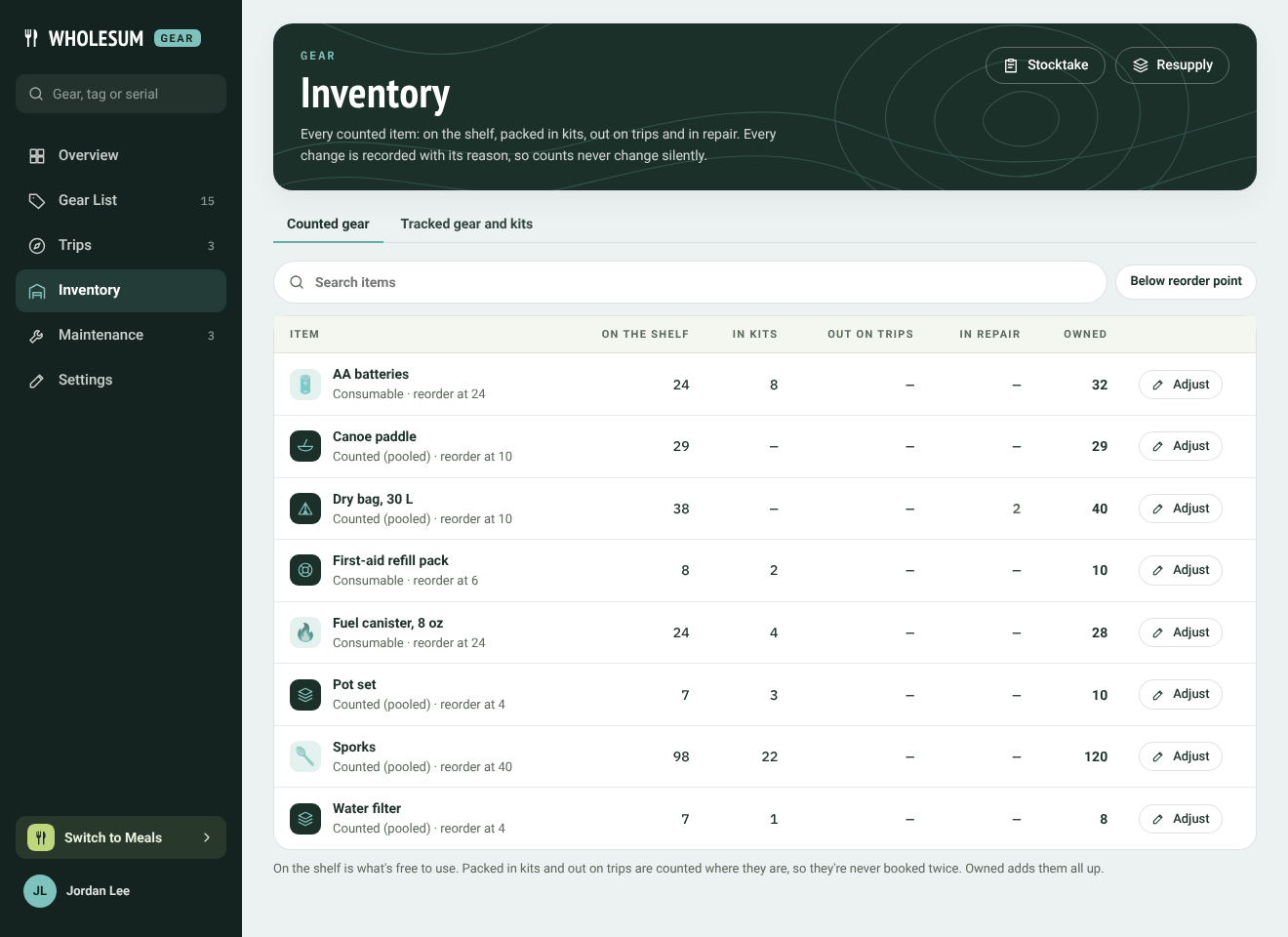
The Inventory page
Reading the table
| Column | What it means |
|---|---|
| On the shelf | Free to use right now. |
| In kits | Packed in kit bins. |
| Out on trips | Checked out on trips and loans. |
| In repair | Waiting on a repair ticket. |
| Owned | All of the above added up. |
Gear packed in kits and out on trips is counted where it is, so it's never booked twice. Under each name is its tracking type and reorder point. A ⚠ next to the shelf count means it has dropped below its reorder point; Below reorder point shows only those.
The Tracked gear and kits tab lists your tracked units and kit bins by base, with how many are in service and in maintenance. Open an item from there to change its units.
If you use more than one base, choose a base at the top to see its counts, or All bases.
Changing a count
Click Adjust on a row.
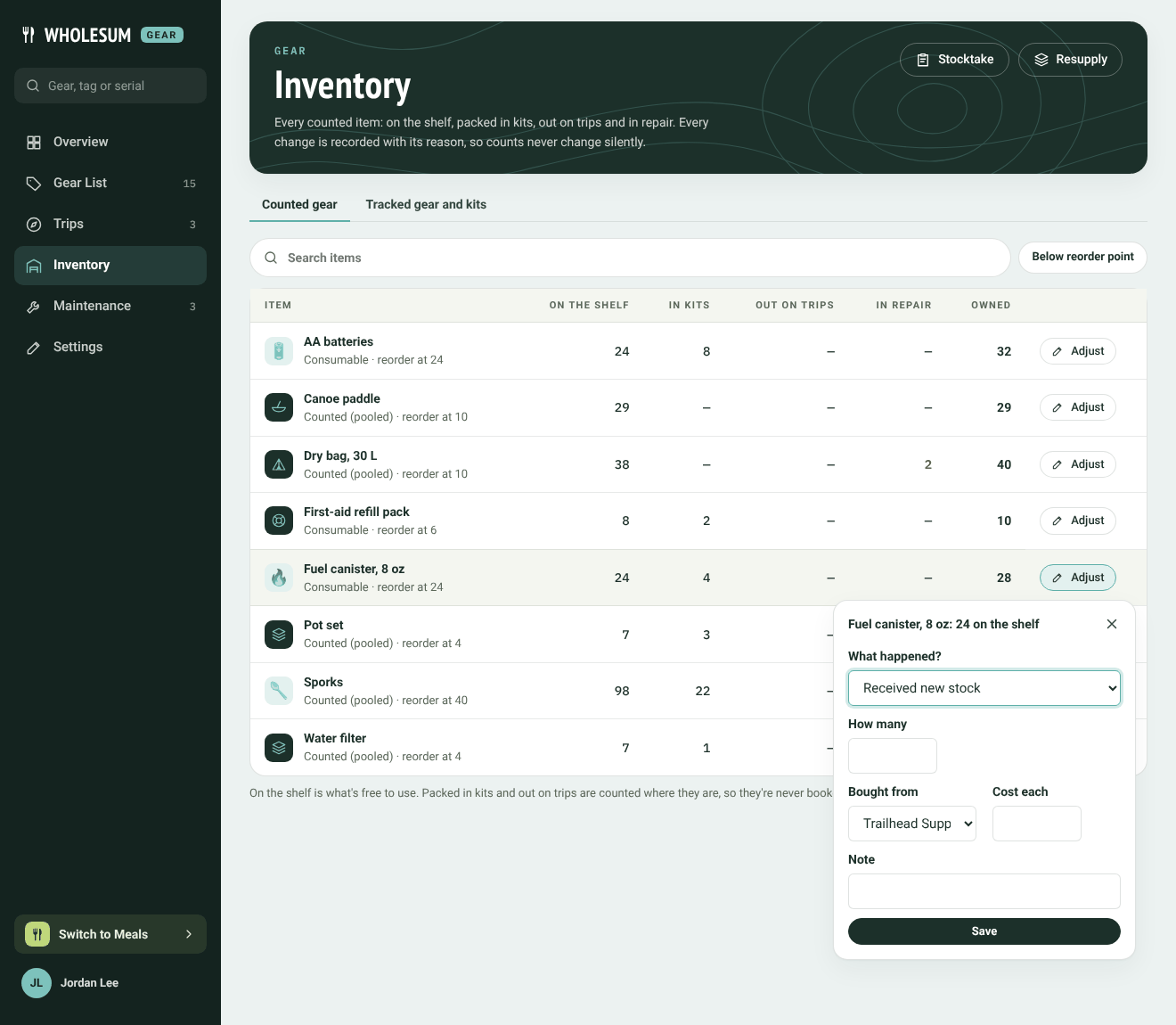
Adjusting a count
Choose What happened?:
- Received new stock: adds to the shelf. Choose who it was Bought from and the Cost each. These feed the vendor's page and the prices on Resupply: what to buy.
- Recounted: set the shelf count: type the number actually on the shelf now.
- Moved to another base: moves some to another base (only with more than one base).
- Sent to repair: moves some from the shelf into repair and opens a repair ticket.
- Back from repair: moves some from repair back onto the shelf.
- Written off (gone for good): takes some away for good. Give a reason: found, lost, damaged beyond repair, used up, stocktake correction, or other.
Add a Note if it helps, and click Save.
If a change leaves planned trips needing more than are free, Gear warns you and names the trips.
History
Every change is listed in the item's History, on its page in the Gear List: what changed, by how much, why, who did it and when. Check-outs, check-ins, packing into bins and stocktakes all appear there.
Counting everything at once
To recount the whole shelf in one go, use Doing a stocktake.


