
A kit is gear that travels together: a kitchen bin, a first-aid kit, a canoe kit. You set it up in two parts:
- What goes in it: the list each bin should hold, for example 1 camp stove, 8 sporks, 1 pot set and 2 fuel canisters.
- Bins: one unit for each physical bin you pack, such as KITCHEN-A and KITCHEN-B. Gear checks every bin against the list.
Setting up the list
Add the kit from Gear List → Add kit (or Add item, choosing Kit), giving the first bin's tag. Then, on the kit's page, use the box at the bottom of What goes in it: choose an item, say how many, and click Add to kit.
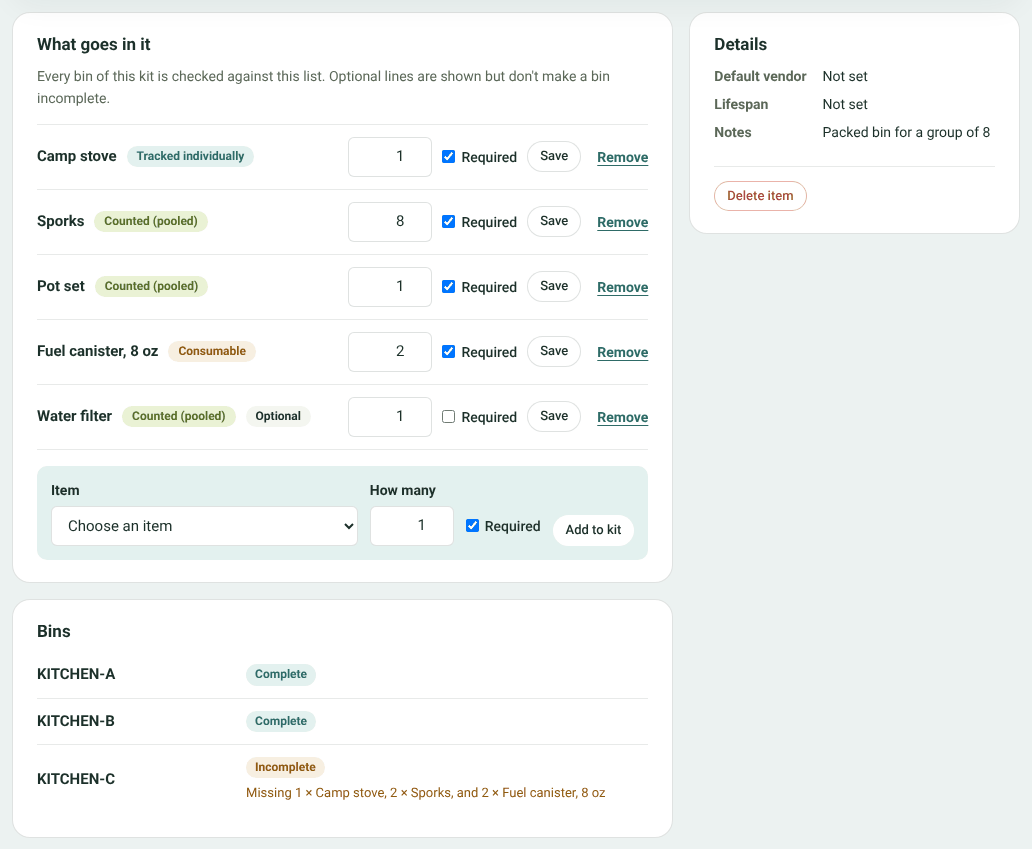
A kit's page: its list and its bins
- Untick Required for optional extras. They show on the list but a bin isn't incomplete without them.
- Change a number and click Save, or Remove a line. Removing a line doesn't take anything out of bins already packed.
Under Bins, each bin shows Complete, or Incomplete with what it's missing. Add bin adds another.
Packing a bin
Open a bin to pack it.
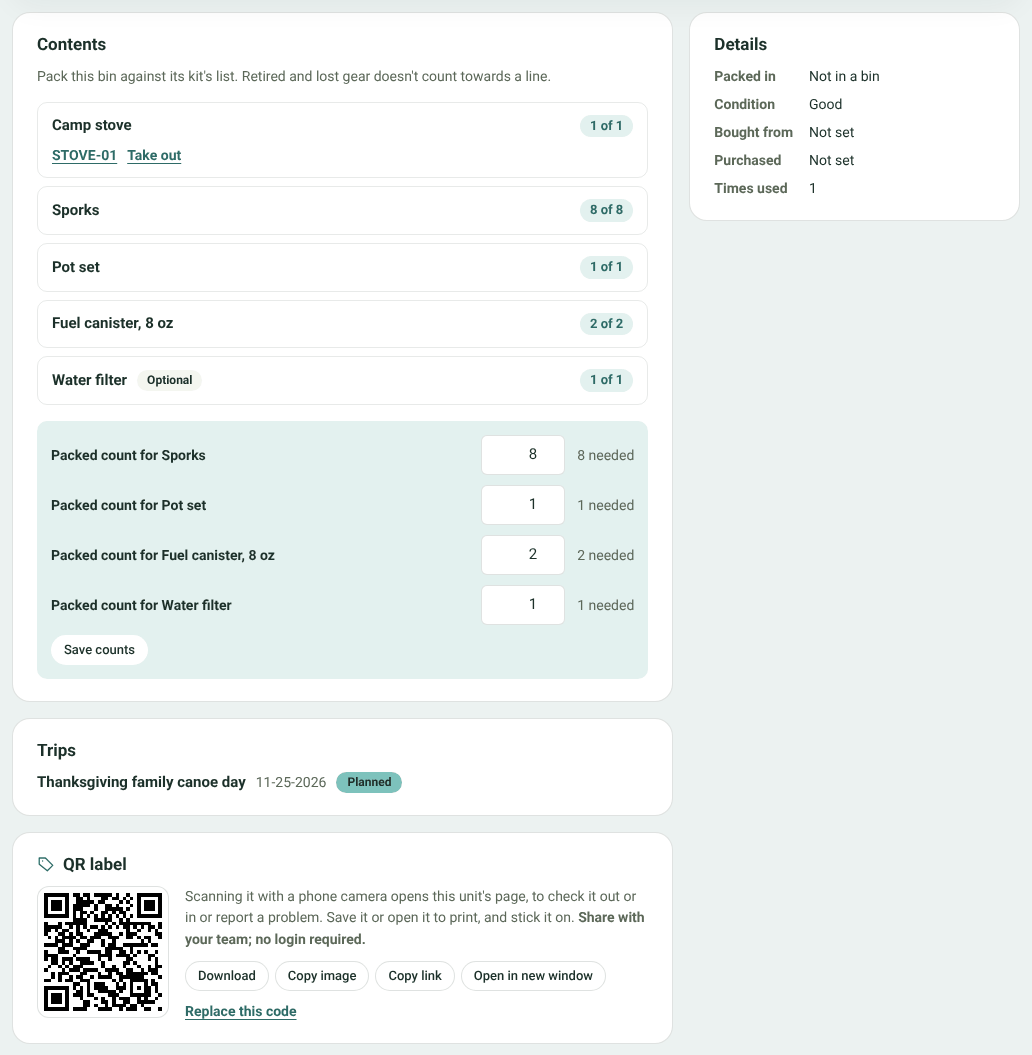
Packing a bin
- Tracked gear (like a stove): choose which one from the list and click Pack. Click Take out to remove it. A unit can only be in one bin at a time.
- Counted gear and consumables (like sporks and fuel): type how many are in the bin and click Save counts. These come off the shelf in Inventory and show under In kits there, so they're never counted twice.
Each line shows how many the list asks for, and the bin's status updates as you pack.
Kits on trips
Put a kit on a trip's packing list like any other gear and pick which bins go. A bin goes out with everything packed in it, and comes back the same way: at check-in you can mark anything inside it as damaged, lost or used. If something doesn't come back, the bin shows what it's now missing, and it appears under Needs attention on the Overview until you repack it.


