
Gear List shows every kind of gear you own.
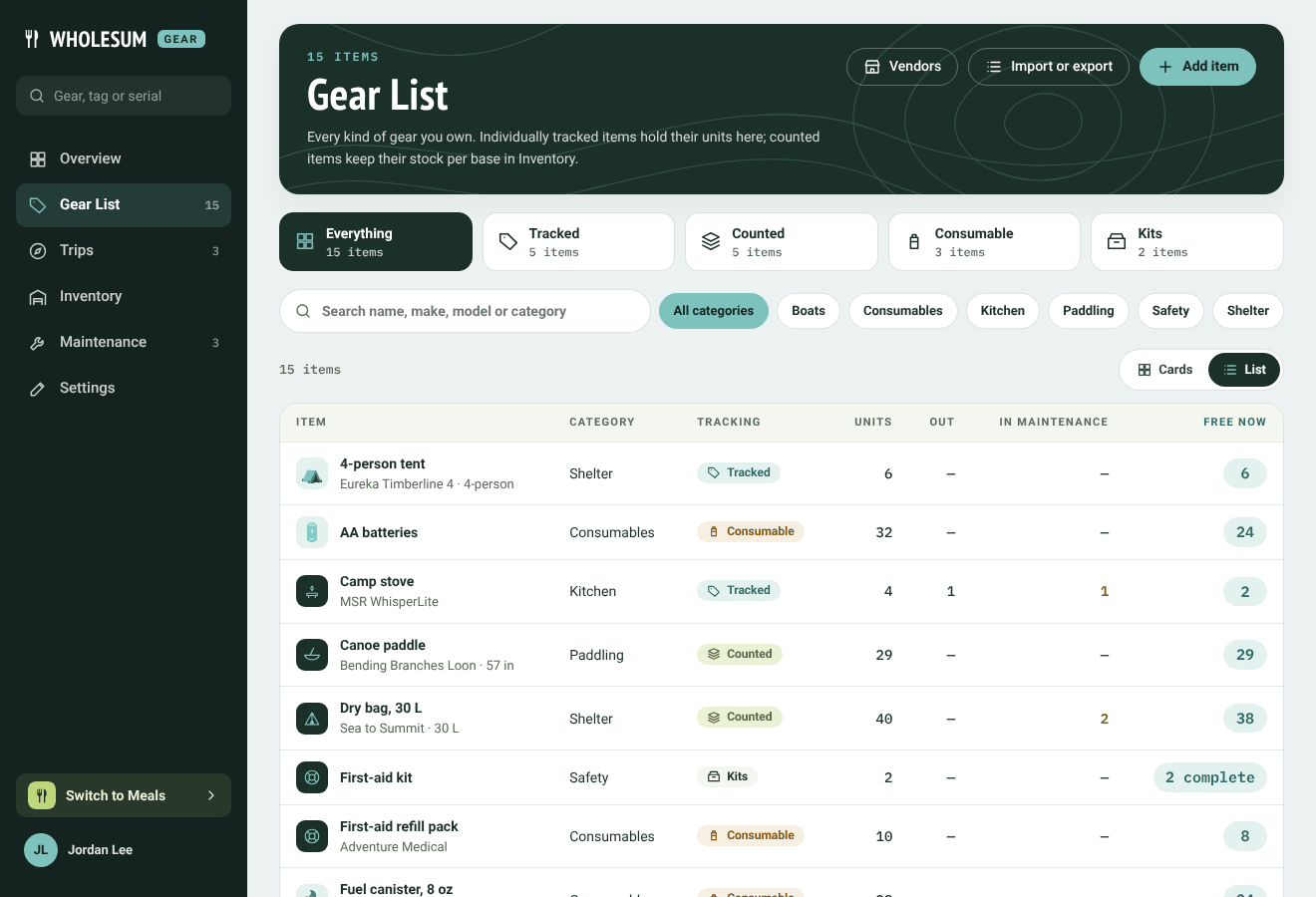
The Gear List
Finding gear
- The tabs across the top filter by tracking type: Everything, Tracked, Counted, Consumable and Kits, each with a count.
- The search box looks through names, makes, models and categories. The category pills narrow the list to one category.
- Cards and List switch between a grid of picture cards and a compact table.
- The search box at the top of the Gear menu searches from any Gear page, and also finds units by tag or serial number.
Reading the list
| Column | What it shows |
|---|---|
| Units | For tracked gear and kits, how many units or bins you have. For counted gear, how many you own. |
| Out | How many are out on a trip or loan right now. |
| In maintenance | How many are waiting on a repair. |
| Free now | How many could go on a trip today. For kits, how many bins are complete. |
The buttons at the top open Vendors, Import or export and Add item.
An item's page
Click an item to open it.
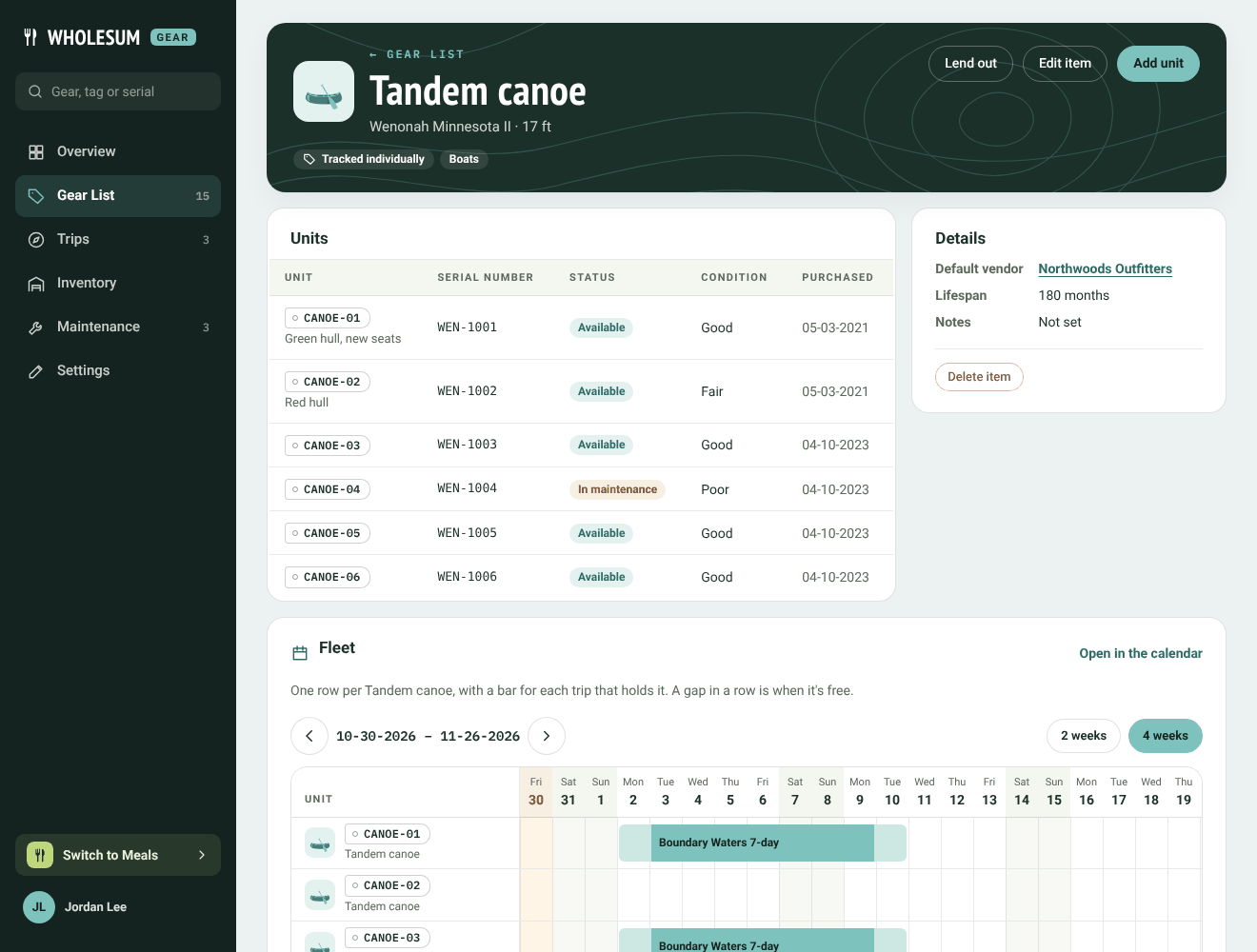
A tracked item's page
For tracked gear you'll see:
- Units: every unit, with its tag, serial number, status, condition, base and purchase date. Click one to open it, or Add unit to add another. See Units: tags, serial numbers, condition and history.
- Details: the default vendor, lifespan and notes.
- Fleet: one row per unit, with a bar for each trip that holds it. A gap in a row is when that unit is free. Open in the calendar shows the full fleet view. See The calendar and the Fleet view.
- Inspections: inspection schedules for this item. See Inspection schedules.
Counted and consumable items show Stock instead of units: the count at each base, a History of every change, and Adjust in Inventory.
Kits show What goes in it and Bins. See Kits and bins.
The buttons at the top of an item's page include Lend out (see Lending gear without a trip), Edit item and Add unit.


