
Review with Olive gives any recipe a second pair of eyes. In under a minute, Olive checks whether the portions look right, flags dietary conflicts, and breaks down the cost.
Run a review
- Open a saved recipe from My recipes.
- Click Review with Olive in the top-right corner.
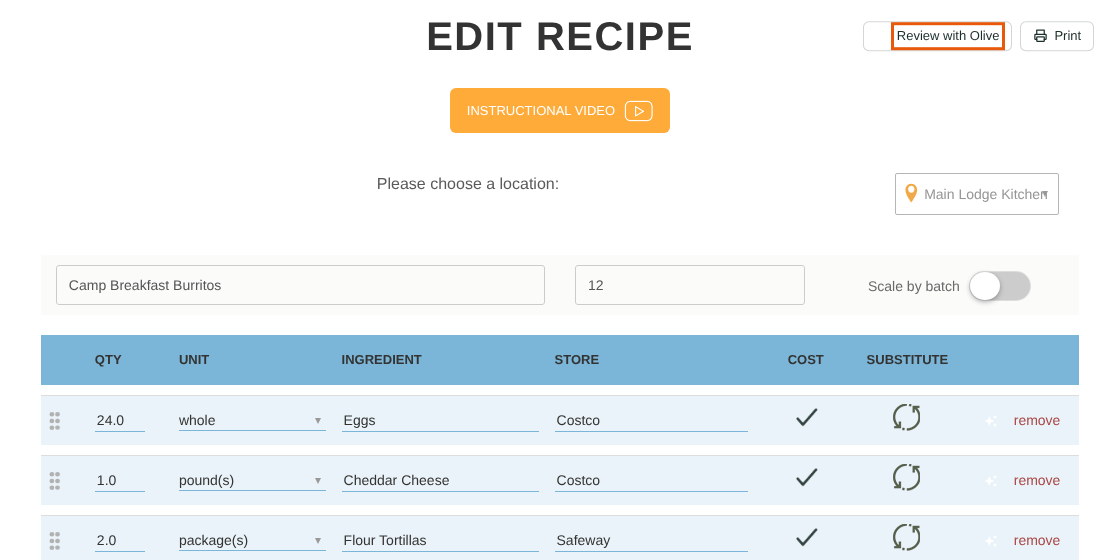
The Review with Olive button
Olive reviews the recipe exactly as it stands on the page, including edits you haven't saved yet.
Olive reading the recipe
What the review shows
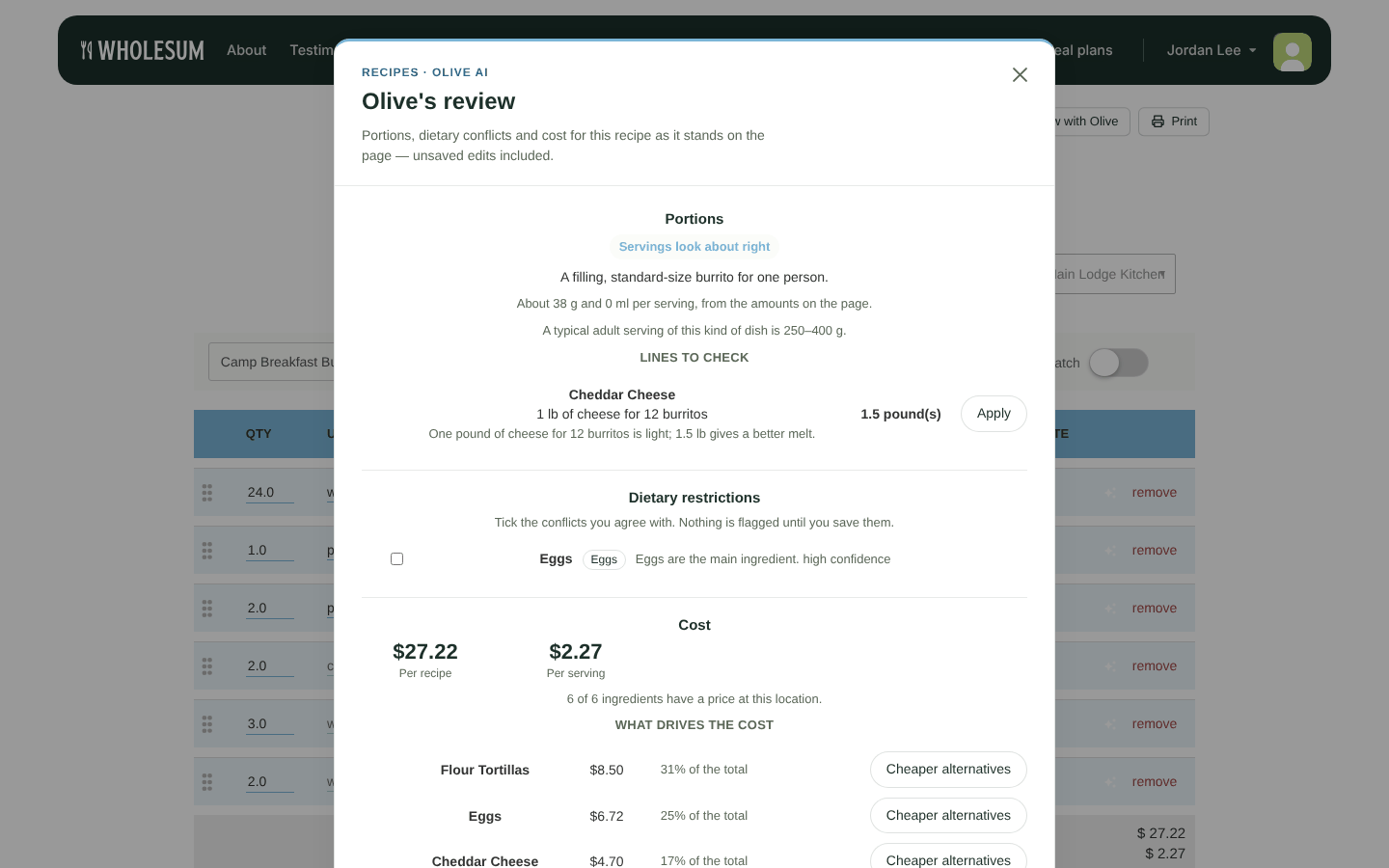
Olive's review: portions, dietary restrictions and cost
Portions
Olive says whether servings look small, about right or generous for this kind of dish, and compares your serving size with a typical serving.
- If Olive suggests a different number of servings, click Set servings to N to apply it.
- Under Lines to check, Olive lists individual ingredients whose amounts look off, with a suggested quantity. Click Apply to use it.
Dietary restrictions
Olive flags ingredients that may conflict with your account's dietary restrictions, with a confidence level. Tick the ones you agree with, then click Save N to my ingredients. This saves the rule on the ingredient, so it applies to every recipe that uses it. Saving flags doesn't use a request.
Cost
You'll see the cost per recipe and per serving, how many ingredients have a price, and What drives the cost: the most expensive ingredients and their share of the total.
- Cheaper alternatives asks Olive for a lower-cost substitute for that ingredient.
- If ingredients have no price, Price N with Olive looks their prices up. See Updating ingredient prices with Olive.
Nutrition
Click Estimate nutrition for an estimate per serving: calories, protein, carbohydrate, fat, fibre and sodium, plus Olive's assumptions. This uses one request.
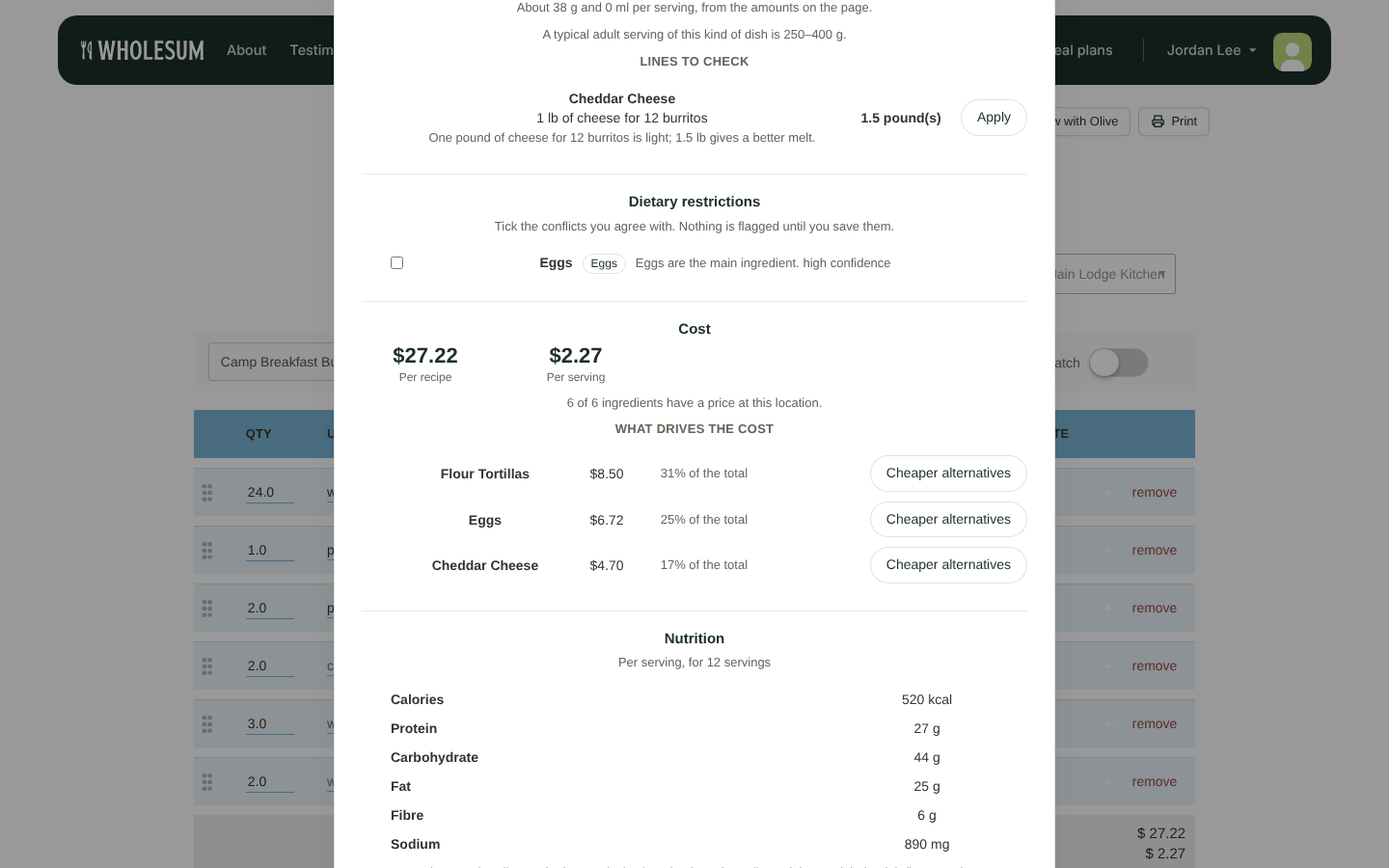
Olive's nutrition estimate
Nutrition figures are an estimate from typical values for these ingredients, not a lab or label figure. They aren't saved to the recipe.
Applying Olive's suggestions
Applying a suggestion changes the recipe form on the page only. You'll see "Applied to the form — press Save when you are happy with it". Click Save on the recipe to keep the changes.
Click Review again to re-run the review after you've made changes. Each review uses one request.
Ask Olive for a substitute
To replace a single ingredient, click the ✨ button on its row in the recipe editor. Under What are you after?, choose:
- Something that does the same job
- Something cheaper
- Something that avoids a restriction
Then click Ask Olive. Each suggestion shows whether it's already in your library, how the price compares, and which restrictions it's free of. Choose either:
- Replace ingredient: swaps it on the form.
- Add as substitute: keeps the original and adds the suggestion as a dietary substitute (when substitutes are turned on).
Either way, click Save on the recipe to keep the change.


