
Overview is the first page in the Gear menu. It shows what's happening with your gear this week and anything that needs a person to look at it.
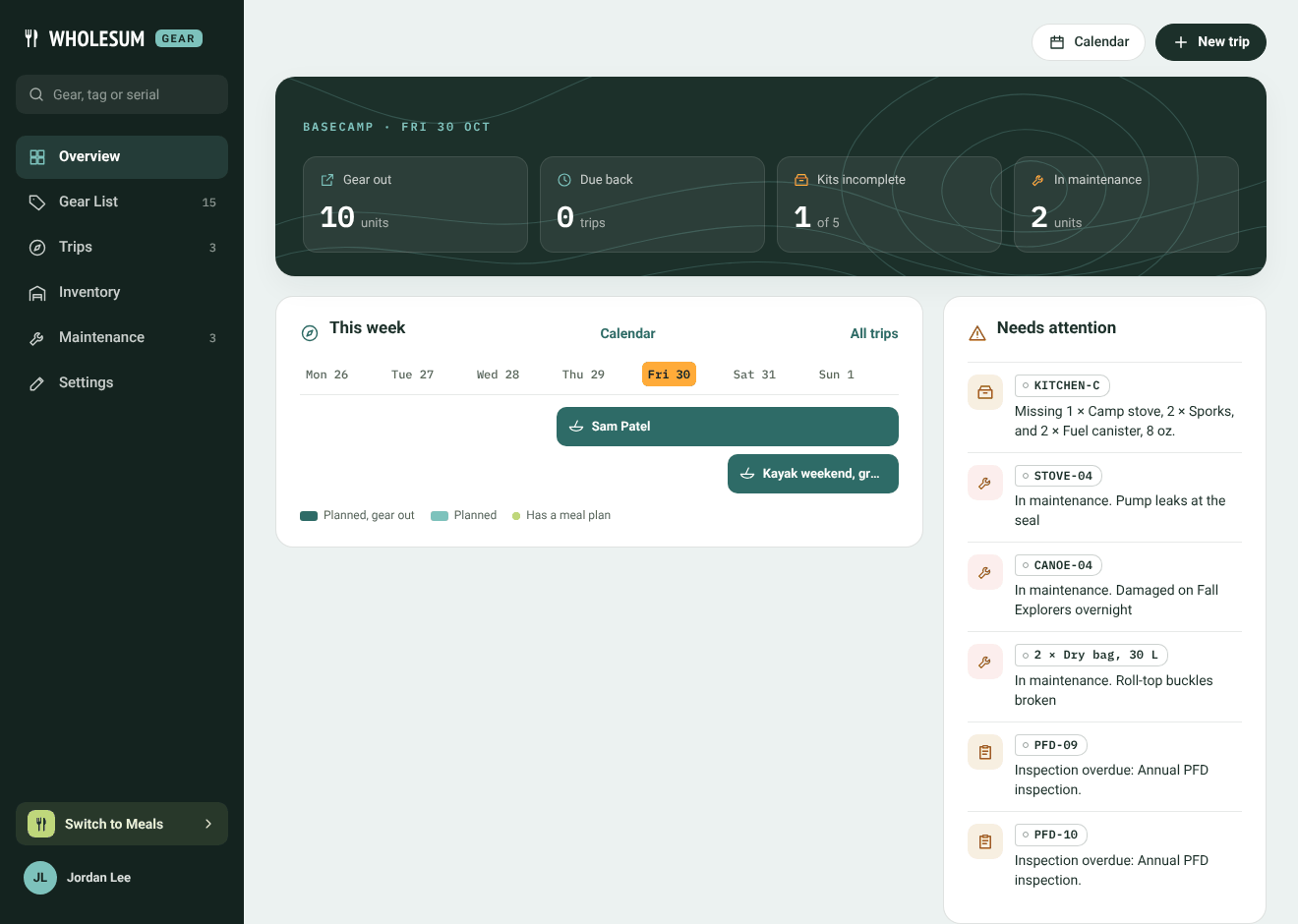
The Gear Overview
The numbers at the top
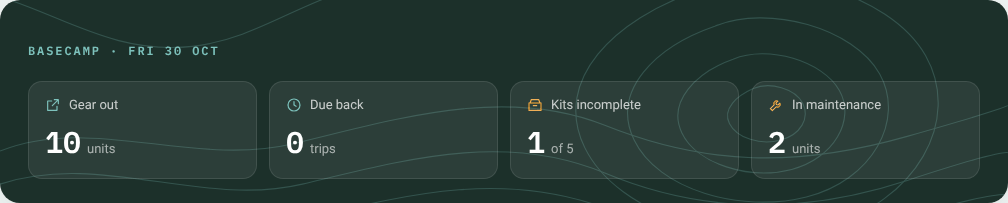
The four numbers at the top of the Overview
- Gear out: how many units are out on trips or loans right now.
- Due back: how many trips end today or have already ended but still have gear out.
- Kits incomplete: how many kit bins are missing something they should hold.
- In maintenance: how many tracked units are out of service waiting on a repair.
This week
A seven-day strip with a bar for each trip and loan. A dark bar means the gear is already out; a lighter bar means the trip is planned. A small orange tag such as 2 to pick means the trip still needs that many units picked. Click a bar to open the trip.
Calendar opens the full calendar and All trips opens your trips list.
Needs attention
A list of everything that needs someone to act. Each line links to the trip, unit or ticket concerned:
- a trip that leaves in the next two weeks and is still short of gear;
- two trips that share a unit over the same days;
- a kit bin that's missing something;
- gear in maintenance;
- a counted item that has dropped below its reorder point;
- an overdue inspection;
- a vendor follow-up that's due.
When nothing needs attention, it says so.
The sections
Under the dashboard are cards for each part of Gear (Trips, Kits, Gear List, Inventory, Maintenance and Calendar), each with a short count. Click one to open it.
The New trip button at the top right starts a trip from anywhere on the Overview.


