
The first time you open Gear, the Overview shows a setup guide instead of the usual dashboard. It walks you through the few things Gear needs before you can send a trip out.
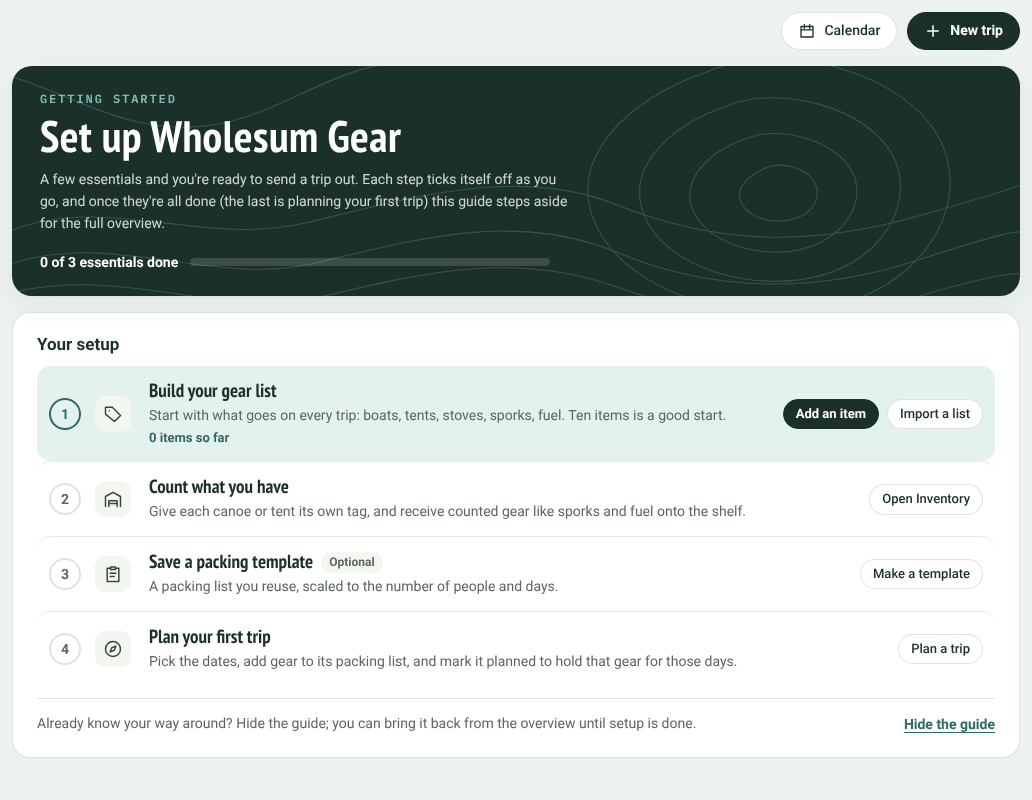
The setup guide
Each step ticks itself off as you do it, and the bar at the top shows how far you've got.
The steps
- Build your gear list. Add what goes on every trip: boats, tents, stoves, sporks, fuel. Ten items is a good start. Click Add an item to add them one at a time, or Import a list to bring them in from a spreadsheet. See Adding gear to your gear list and Importing and exporting your gear list (Excel).
- Count what you have. Give each canoe or tent its own tag, and put counted gear like sporks and fuel on the shelf. Click Open Inventory to do this. If you added gear with its first unit or starting count, this step may already be ticked.
- Save a packing template (optional). A packing list you reuse, scaled to the number of people and days. See Packing templates.
- Plan your first trip. Pick the dates and add gear to the packing list. See Planning a trip.
If you've switched on more than one base in Gear's settings, the guide also asks you to Name your base: the warehouse, boathouse or trailer where your gear lives between trips.
When every essential step is done, the guide steps aside and the Overview shows your dashboard.
Hiding the guide
Already know your way around? Click Hide the guide at the bottom. Until setup is finished, you can bring it back from the Overview with the Setup guide button.


