
To see your plan, payment card and billing history, click your name (top right) and choose Subscription. Only the account owner can manage billing.
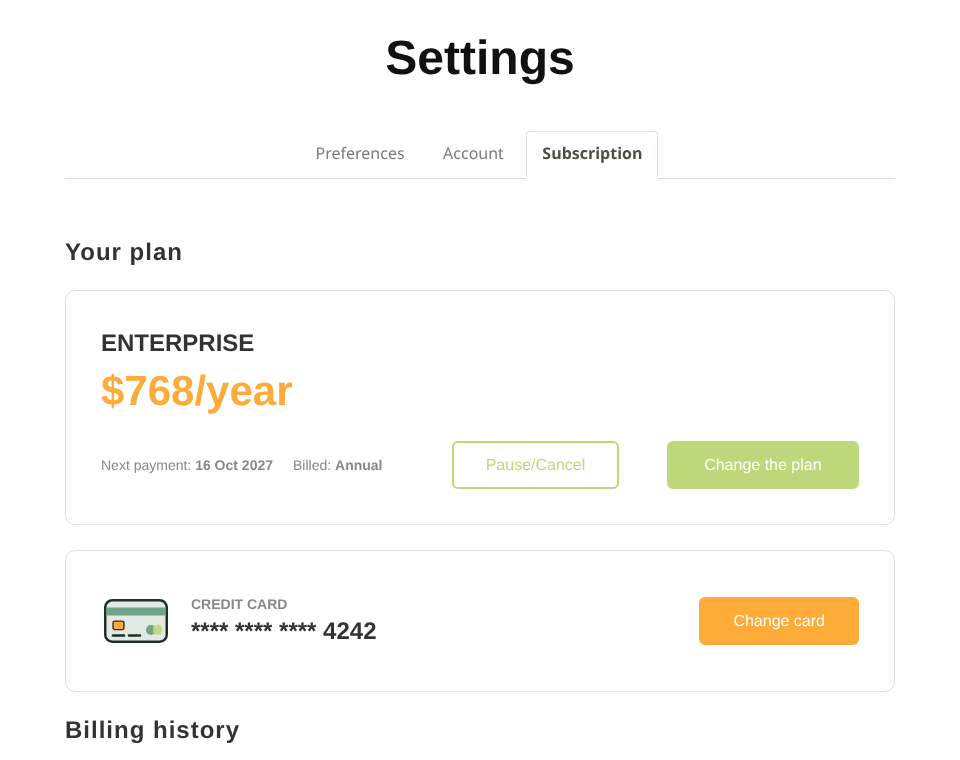
The Subscription page
Choose or change your plan
- On Subscription, click Change the plan. During your trial, click Choose a plan. Or open Pricing from the top menu.
- Use the Monthly / Yearly switch to compare billing periods. Yearly plans show the equivalent monthly price, billed once a year.
- Click Subscribe on the plan you want.
- First subscription: you'll enter your card details in a secure Stripe checkout window.
- Switching plans: the change happens straight away, and the price difference is prorated.
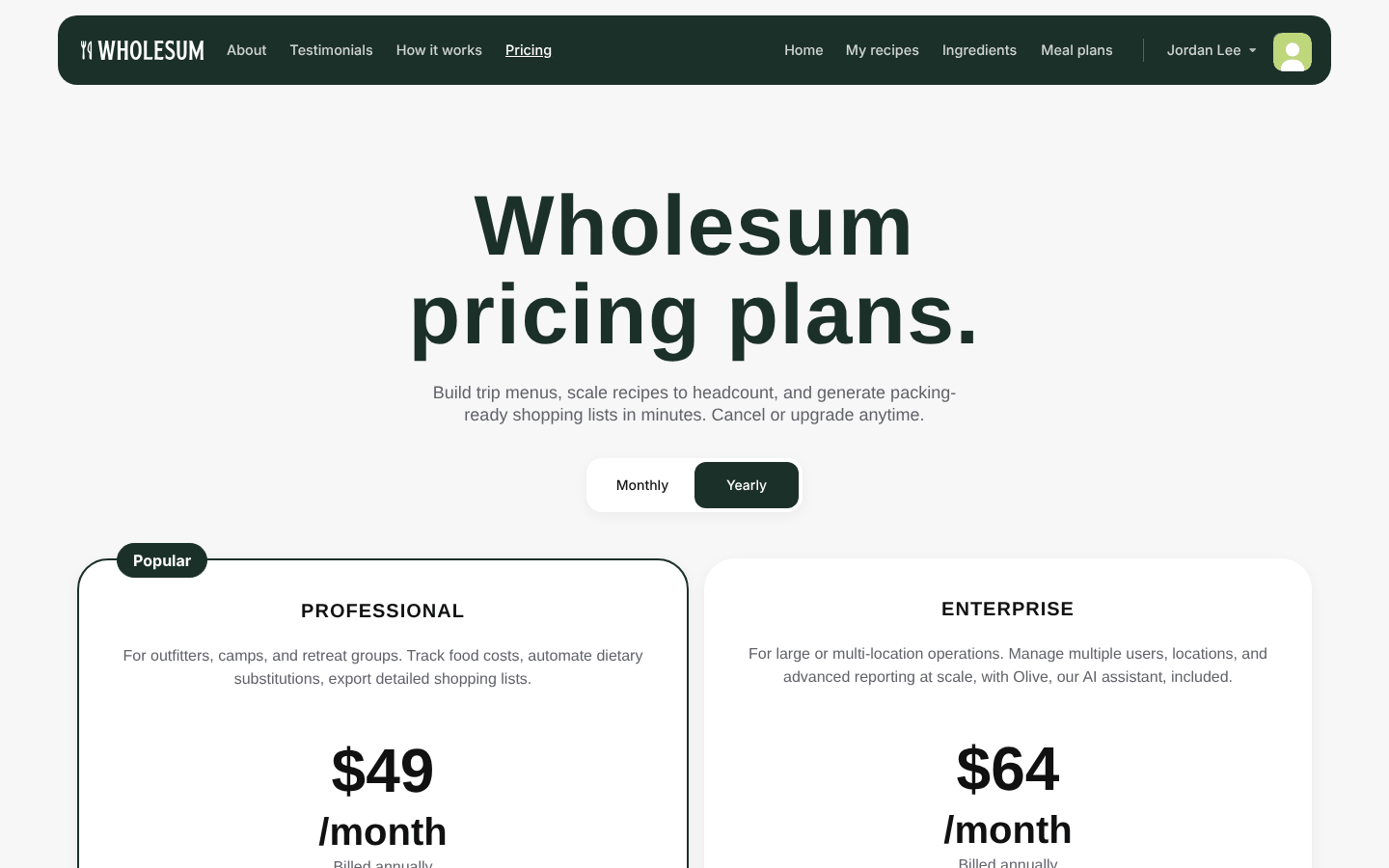
The Pricing page
Subscribing during your free trial ends the trial and starts your paid plan that day. Your recipes, ingredients and meal plans all stay in place.
Promo codes
Have a promo code? While you're on your free trial, click Add a promo code on the Subscription page. Enter the code and click Add. The Pricing page then shows your discounted prices, and the discount is applied when you subscribe.
To take a code off, click Remove promo code.
Pause or cancel
- On Subscription, click Pause/Cancel.
- Tell us the main reason you're cancelling, and add any comments (optional). Your feedback really does help us improve Wholesum.
- Click Cancel Subscription. Or click Keep Subscription if you've changed your mind.
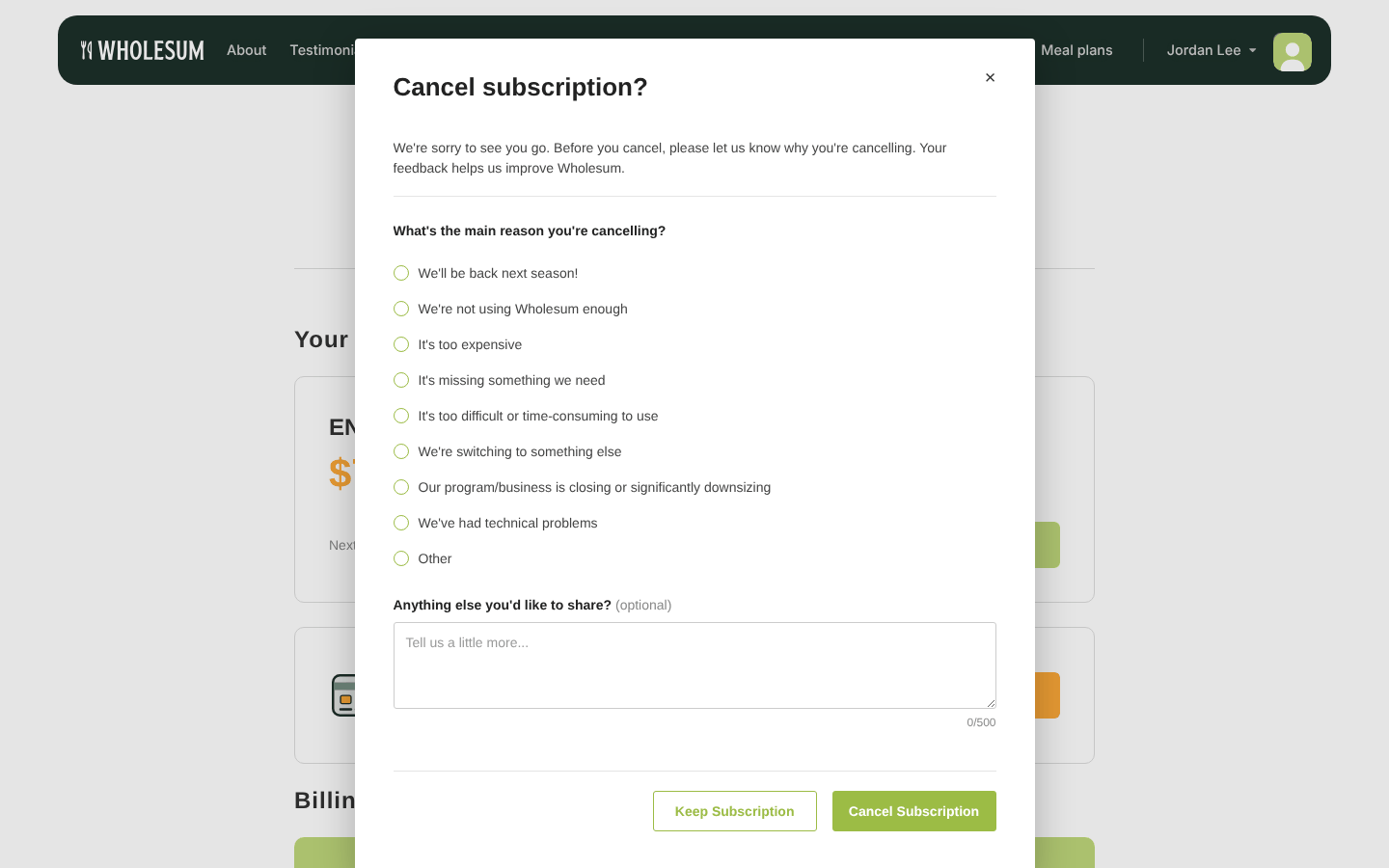
Cancelling a subscription
Your plan stays active until the end of the period you've paid for. Until then, the Subscription page shows the end date. Your data is kept, so you can come back any time, for example next season.
Cancelling your subscription also cancels any team member seats at the end of the period.
Resume or renew
- Changed your mind before the end date? Click Resume on the Subscription page.
- Subscription already ended? Click Renew to restart the same plan, or Other plans to choose a different one.
When a subscription has ended, the Home page shows "Your subscription has ended". Recipes, ingredients and meal plans are locked until you renew. Nothing is deleted.
Update your payment card
Click Change card next to your saved card, and enter the new details in the secure Stripe window.
Billing history and receipts
Billing history lists every payment with its amount, status and date. Click the receipt icon to open a receipt.
Subscriptions are managed on our website. If you use the Wholesum mobile app, log in at wholesum.app on a browser to make billing changes.


